



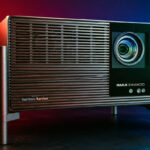
Technically, the Pro sits between the basic model and the Max, which is hardly surprising, but it's important to understand which elements are really important, starting with luminosity. I'm going to detail the criteria to be taken into account for your situation so that you can make the right purchase, which will undoubtedly save you a few hundred euros because the Max isn't the right solution for everyone. With projectors this bright, you can aim for very large screen sizes, but in the end, who has room for a screen over 120 inches?
The new Titan Noir series is available on Kickstarter at a preferential price until June 8. This is a very attractive price, but you have to add VAT. As I'll never have time to write a full article before the end of the campaign, I'll concentrate on the essential points and complete the test after the campaign.
To take advantage, click here: XGIMI Titan Noir Pro / Kickstarter
Those who buy via Kickstarter will benefit from the same warranty as those who buy via the official website.
Manufacturer web site: https://www.xgimi.com
Timeline
Not yet available / testedWhy this projector?
Not yet available / testedUnpacking
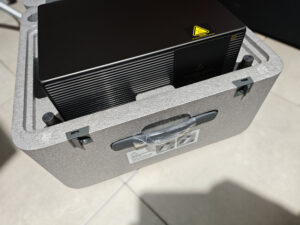
The packaging box is the same for all three models, and also contains the same items except, of course, for the projector, which will be different. The box also contains a power supply unit, which is the same size for all three models, but the voltage is different. There's also a manual, a remote control and 2 AAA batteries.
Operating system
This projector doesn't have an operating system, so you'll need an external source to use it. I used an Nvidia Shield for this test.Finish
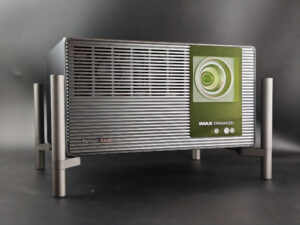
The projectors in the Titan Noir range are strictly identical in format and dimensions. The housing is made of metal with a brushed effect, and the level of finish is impeccable, even if this is not the kind of projector you're going to install in the middle of a living room. The only thing that will allow you to distinguish the models is the colored circle around the optical compartment. The Pro and Max have a red circle, while the basic model has a black circle. There's no visible indication of the model on the outside, but fortunately there's an indication underneath near the ventilation. This in itself isn't a problem if you buy the projector from XGIMI or a serious site, but if in a few months you buy one second-hand, you could very well buy a Pro instead of a Max if you're not careful.
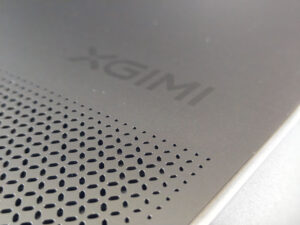
It may not sound like much, but I think XGIMI has taken attention to detail to the extreme with this new series. If you look closely at the grid on top of the projector, the holes are cut in the same shape as the letters of the XGIMI brand.
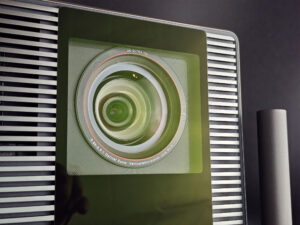
The optical compartment surrounded by the red circle indicates that this projector uses XGIMI's Red Ring. This is a high-grade optical block that ensures better light diffusion and image sharpness. The optical assembly is supported by a zoom lens with a wider range than usual for XGIMI (0.98 to 2), enabling it to be used both close-up and in the background. This flexibility is further enhanced by a 130% vertical lens shift and a 50% horizontal lens shift. This is the most flexible configuration I've yet tested.
Behind the optics we find a new DMD 0.47 chip, the SST version, specially designed to generate more light and more contrast.
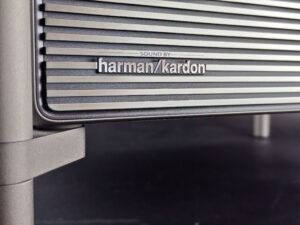
For sound, we find the usual Harman Kardon 2x12 watt speakers, which have been the same for 2 generations, and you'll see later in this review that the sound is of good quality.
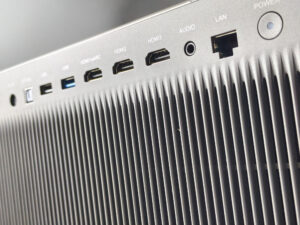
At the rear, the connectivity is complete with an SP/Dif digital audio port, 1 usb 2.0 port, 1 usb 3.0 port, 3 HDMI ports including one in eARC, an audio jack output and an RJ45 internet connector.
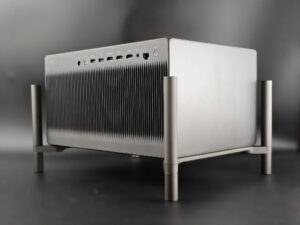
This projector is mounted on a stand system on the outside of the case. The lower part of the stand can be unscrewed to gain a few centimetres in height. The whole unit measures 23 cm in height, 29 cm in width and 38 cm in depth.
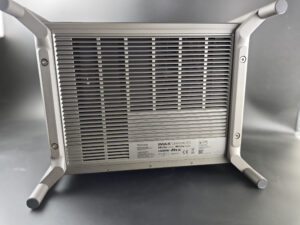
Underneath, there's a huge air exhaust grille, and if you look carefully, you'll notice that the brackets can be unscrewed. If you decide to install this projector on a stand, you'll need to keep the central part clear to allow the projector to evacuate excess heat.
Projection room
My projection room is rectangular, 4.6m by 2.9m (height 2.2m). I have two projection walls, one white wall 2.9m wide with just white paint with a possible 4m setback. I then have a 133 inch ALR screen on another wall with a possible setback of 2.8m. I mainly use the ALR screen except when the layout or type of projector is not suitable for this situation.Battery autonomy
Not yet available / testedPower consumption
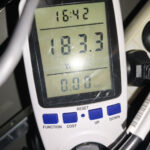
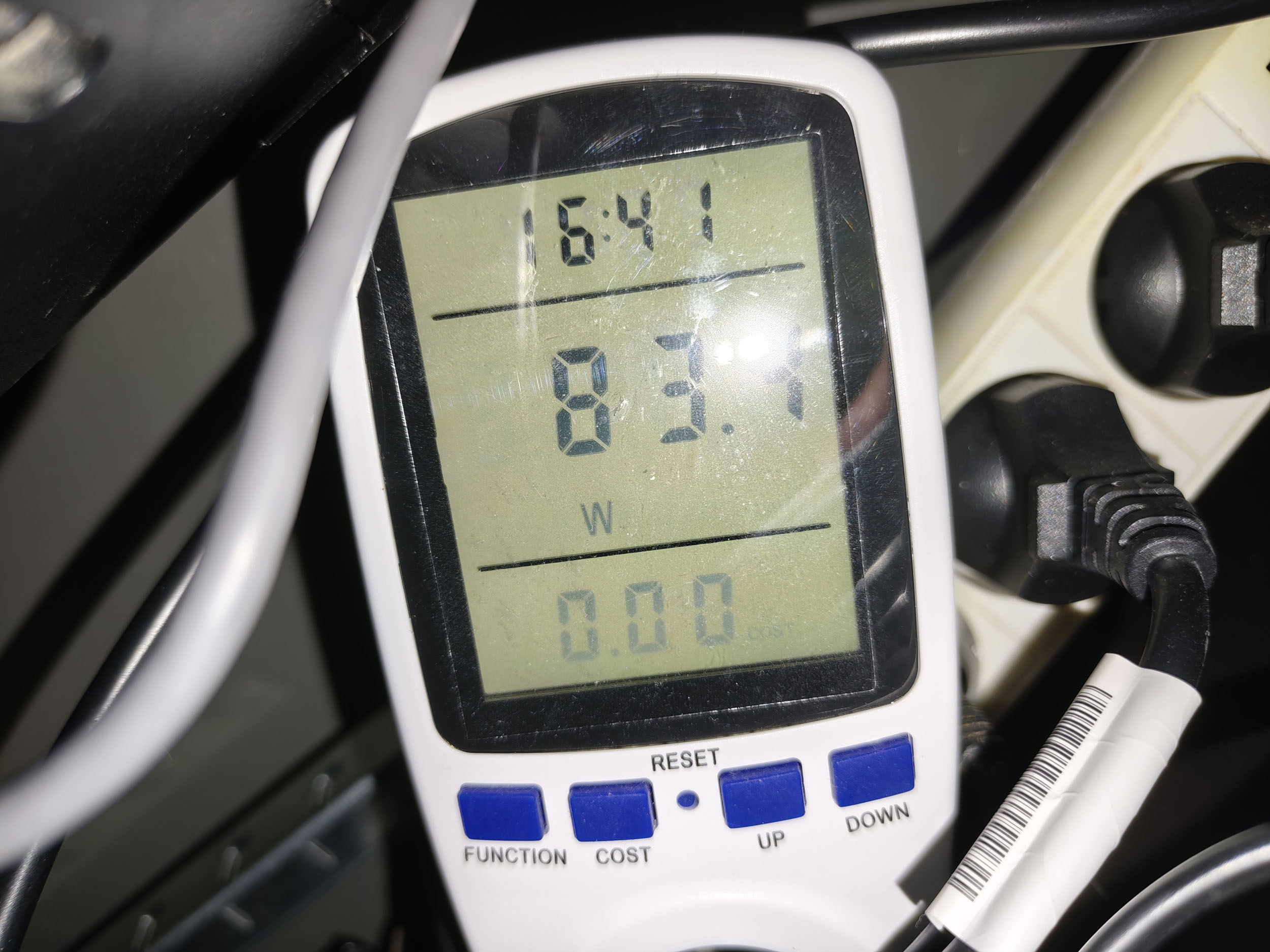
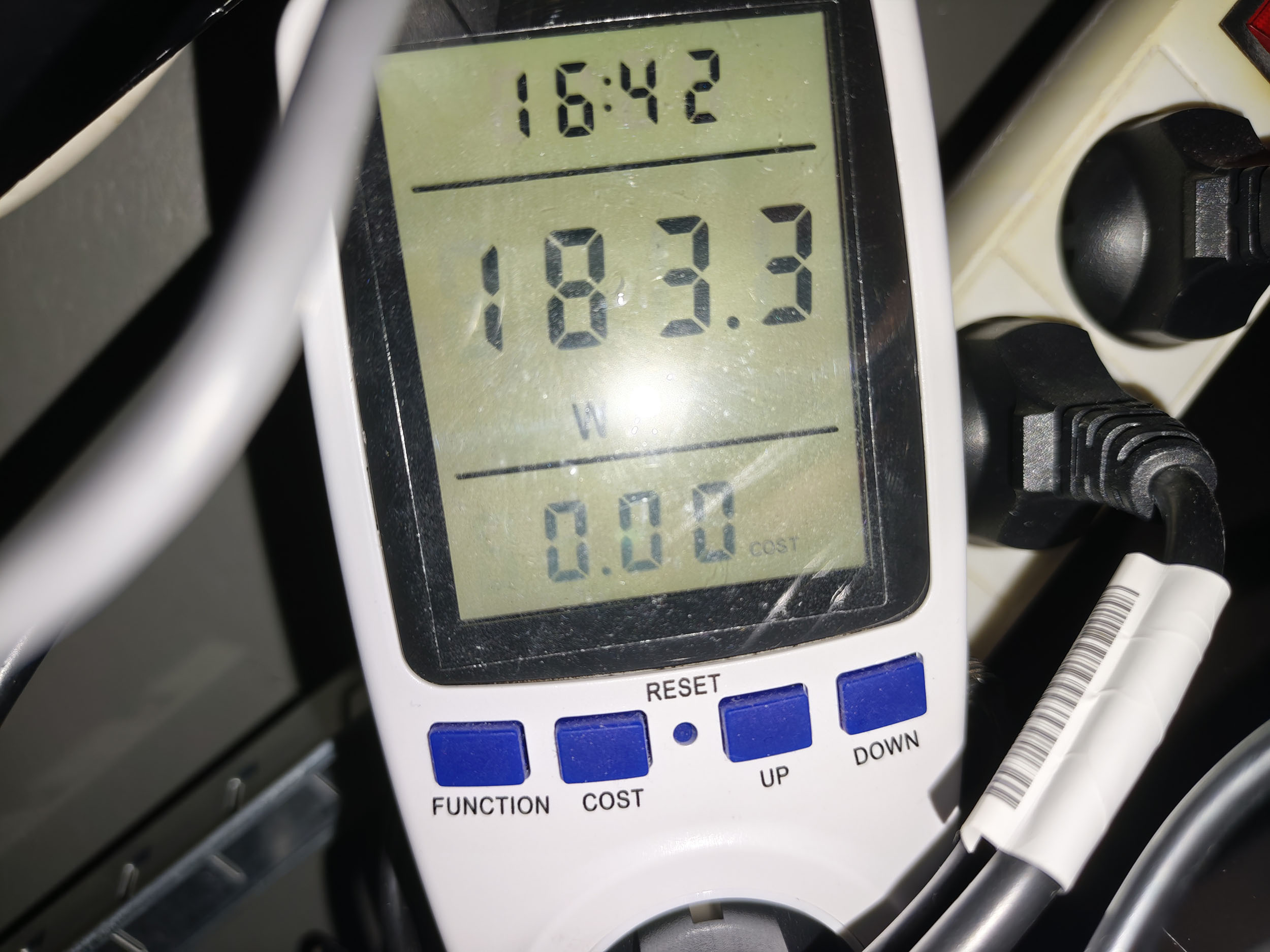
I measured a consumption of 83 watts with the laser level at minimum and 183 watts with the laser level at maximum (level 10, boost and performance are unusable). These are almost the same values as the Max but with less brightness, so this projector is a little more greedy than the Max version if we look at the power consumption per lumen actually delivered.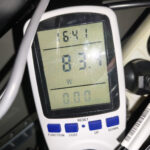
Operating noise
The XGIMI Titan Black Pro emits a slight humming sound, similar to the Titan Black Max, but at a fairly low volume. When standing close to the projector, I measured less than 40 decibels, and unless you’re using Performance Mode, the faint noise from this projector will never bother you. Make sure the bottom of the projector can dissipate heat properly, as this determines the fan speed. If the projector can’t dissipate heat effectively, the fans will make more noise.
Image quality
Not yet available / testedColorimetry
More explanations on colorimetry
Measuring color fidelity (colorimetry) is not a subjective question, it is something completely measurable. This measurement is carried out with a device (colorimeter, spectrometer, ...) which measures the difference between the real color and the displayed color. This difference is expressed in delta E (abbreviation: dE). A dE greater than 3 indicates a deviation perceptible to the human eye.
The dE must therefore be as low as possible but projectors rarely have a dE lower than 3 out of the box. They are often between 5 and 10, only a calibration can correctly adjust the colors.
For a perfect calibration, you must call a professional. I give you my parameters which correspond to my situation. These settings might work for your situation but it is not a guarantee, so take them as an indication of the direction to follow.
The data below was obtained using firmware version 1.1.12. This is not the latest firmware version, so these results may still change. In principle, future firmware updates should not negatively affect the results.
SDR Color Accuracy
To measure color accuracy, I used my usual testing protocol with my spectroradiometer. Since the number of possible configuration combinations for this projector is simply too large to test exhaustively, I focused on the factory presets with a few variations to give you an overview of what this projector is capable of.
As a reminder, color accuracy is measured using Delta E, and Delta E should ideally remain below 3 so that the human eye cannot perceive any difference from the reference color.
Here are the SDR measurement results:
| Configuration | White | Red | Green | Blue | Yellow | Cyan | Magenta | Average Delta E |
|---|---|---|---|---|---|---|---|---|
| Movie | 0.73 | 3.13 | 6.21 | 0.37 | 1.15 | 4.23 | 1.12 | 2.42 |
| Sports | 1.26 | 2.44 | 5.58 | 0.45 | 0.34 | 3.33 | 3.89 | 2.47 |
| ISF Night | 1.01 | 2.87 | 6.30 | 0.47 | 0.57 | 5.33 | 1.29 | 2.55 |
| Standard | 0.87 | 2.81 | 5.67 | 0.35 | 1.44 | 3.26 | 3.50 | 2.56 |
| ISF Day | 1.03 | 3.37 | 6.46 | 0.46 | 0.76 | 5.24 | 1.21 | 2.65 |
| Film Maker | 1.58 | 3.00 | 6.49 | 0.54 | 1.32 | 5.33 | 1.01 | 2.75 |
What does this mean? Color accuracy is simply excellent, and it is even better than what I measured on the other two models.
These measurements were taken with Iris 2. I also measured the impact of the iris setting on color accuracy using the ISF Night mode as a reference:
| Iris | White | Red | Green | Blue | Yellow | Cyan | Magenta | Average Delta E |
|---|---|---|---|---|---|---|---|---|
| 2 | 1.01 | 2.87 | 6.30 | 0.47 | 0.59 | 5.28 | 1.27 | 2.54 |
| 3 | 1.43 | 2.83 | 5.69 | 0.39 | 1.45 | 4.12 | 1.82 | 2.53 |
| 4 | 2.00 | 2.59 | 5.78 | 0.59 | 2.19 | 4.55 | 1.81 | 2.79 |
| 5 | 1.87 | 2.69 | 4.20 | 0.31 | 2.63 | 4.40 | 2.46 | 2.65 |
| 7 | 1.09 | 3.26 | 5.00 | 0.39 | 1.26 | 3.33 | 3.55 | 2.55 |
If the iris has very little impact, what about Dynamic Contrast? On the previous generation, Dynamic Contrast generated a lot of discussion because it did increase contrast, but at the cost of significant color deviations. How does the XGIMI Titan Noir Pro compare?
| Configuration | White | Red | Green | Blue | Yellow | Cyan | Magenta | Average Delta E |
|---|---|---|---|---|---|---|---|---|
| ISF Night - Iris 2 | 1.01 | 2.87 | 6.30 | 0.47 | 0.57 | 5.33 | 1.29 | 2.55 |
| ISF Night - Iris 2 - DBLE Dynamic Contrast | 1.01 | 3.17 | 5.85 | 0.39 | 0.39 | 4.90 | 1.37 | 2.44 |
HDR Color Accuracy
This projector offers three color temperature presets: Standard, Film, and D65.
To achieve the best results, you should choose a D65-based picture mode such as ISF Night. The Film setting produces an image that is too warm, while the Standard setting is too cool.
Here are the HDR measurement results:
| Color | Delta E 2000 |
|---|---|
| White | 2.3 |
| Red | 2.3 |
| Green | 2.3 |
| Blue | 3.8 |
| Yellow | 2.9 |
| Cyan | 2.7 |
| Magenta | 2.5 |
As for gamut coverage, it is no surprise to see results between 90% and 95% of REC.2020.
Image SettingsNot yet available / tested
Brightness
More explanations on brightness
The brightness for a projector is absolutely crucial. The brightness is measured in ANSI lumens and the values provided by the manufacturer are very often higher than reality.
I measure the brightness with a lux meter and I convert my measurements into ANSI lumens in relation to the projection surface. You thus obtain a real value.
A video projector, even if it is bright, cannot compete with a television. The contribution of light (natural or artificial) will have the effect of drastically reducing the contrast of your image. With a brightness lower than 1000 ANSI lumens, the projector must be used in total darkness.
This projector has a theoretical brightness of 6000 lumens, and if I apply the usual "loss" between specifications and reality, I should end up with around 3000 lumens.
Here are the results of my measurements with the basic configurations:
| Configuration | Brightness (lumens) |
|---|---|
| Standard | 3071 |
| Movie | 3007 |
| Sports | 3077 |
| Film Maker | 3103 |
| ISF Day | 3103 |
| ISF Night | 3114 |
The evolution of luminosity is not linear and varies greatly from one iris to another:
| Laser level | Iris 2 (lumens) | Iris 3 (lumens) | Iris 4 (lumens) |
|---|---|---|---|
| 1 | 1313 | 1128 | 816 |
| 2 | 1660 | 1426 | 1054 |
| 3 | 1922 | 1703 | 1267 |
| 4 | 2092 | 1904 | 1460 |
| 5 | 2255 | 2056 | 1645 |
| 6 | 2348 | 2171 | 1796 |
| 7 | 2432 | 2272 | 1918 |
| 8 | 2611 | 2358 | 2020 |
| 9 | 2790 | 2427 | 2102 |
| 10 | 2972 | 2536 | 2176 |
| Boost | 3371 | 3385 | 3402 |
That's all well and good, but what can you expect from such brightness? I've put together a table below that tells you the minimum and maximum screen sizes you can aim for with this projector, taking into account use in total darkness:
| Laser level | Iris 2 | Iris 3 | Iris 4 |
|---|---|---|---|
| 1 | 101" - 139" | 93" - 128" | 79" - 109" |
| 2 | 114" - 156" | 105" - 144" | 90" - 123" |
| 3 | 123" - 169" | 114" - 156" | 97" - 134" |
| 4 | 128" - 176" | 121" - 166" | 105" - 144" |
| 5 | 133" - 183" | 125" - 172" | 111" - 152" |
| 6 | 136" - 187" | 129" - 177" | 116" - 159" |
| 7 | 139" - 191" | 133" - 182" | 120" - 165" |
| 8 | 144" - 198" | 136" - 187" | 124" - 170" |
| 9 | 149" - 204" | 140" - 192" | 127" - 175" |
| 10 | 154" - 211" | 144" - 198" | 131" - 180" |
| Boost | 164" - 225" | 164" - 226" | 165" - 227" |
The first choice you have to make here is according to your screen size, the second choice will be in terms of contrast to determine the optimum iris level for your use.
I've deliberately not calculated this for daylight use, because you'll need an ALR screen, which will have a huge impact on light and will never guarantee sufficiently deep blacks.
Sharpness
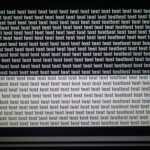
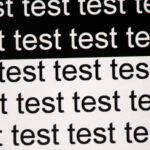
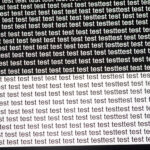
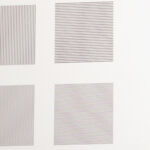
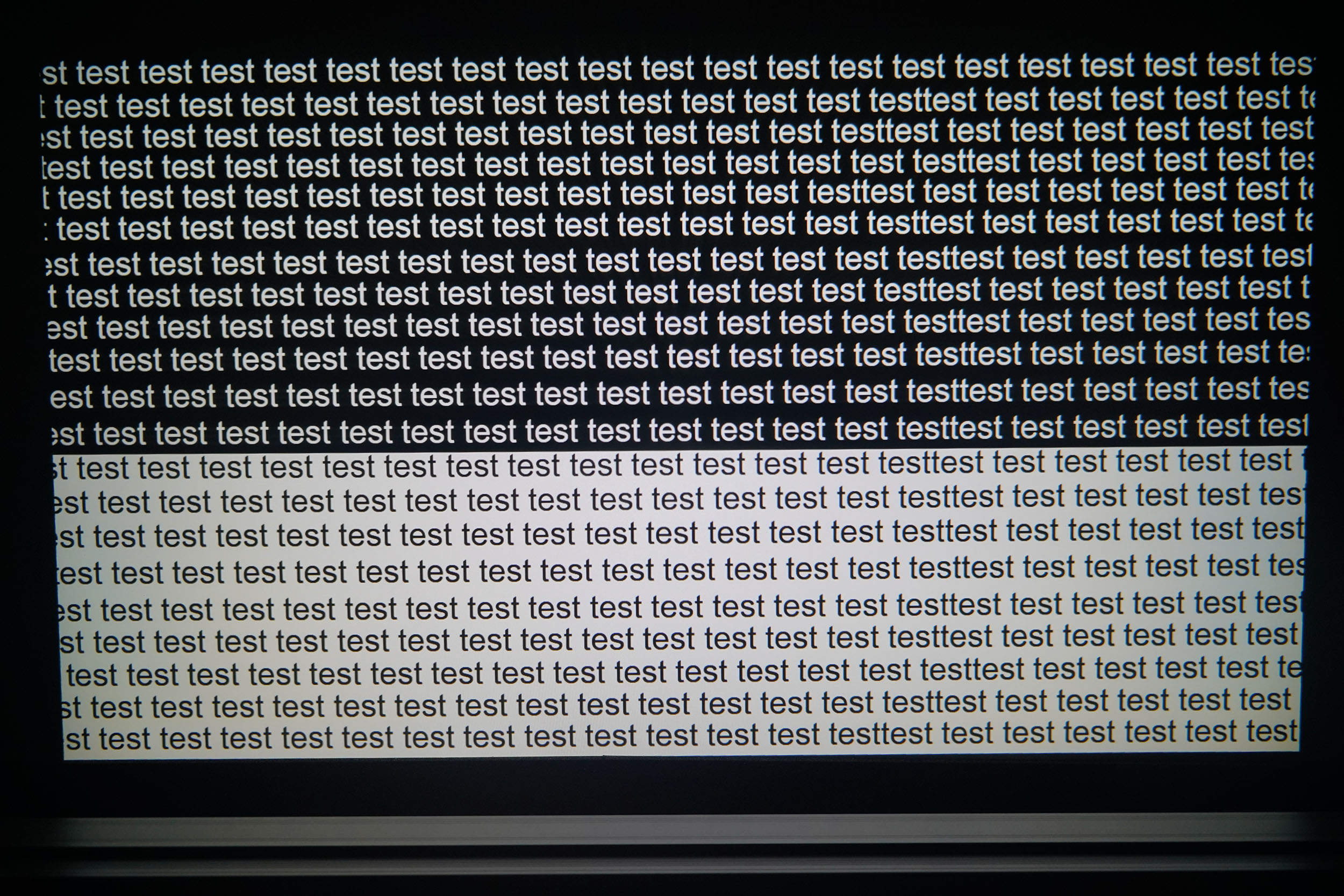
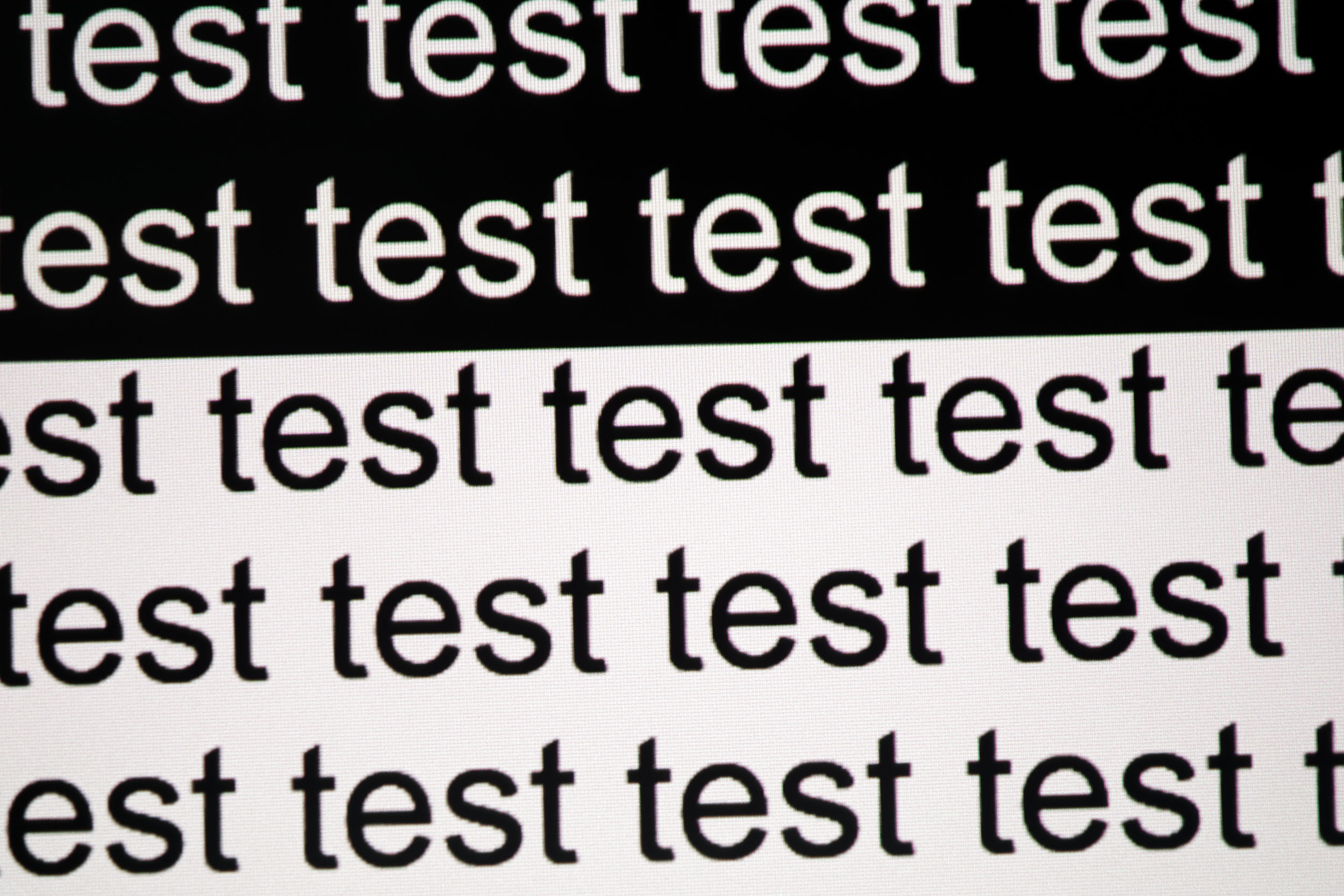
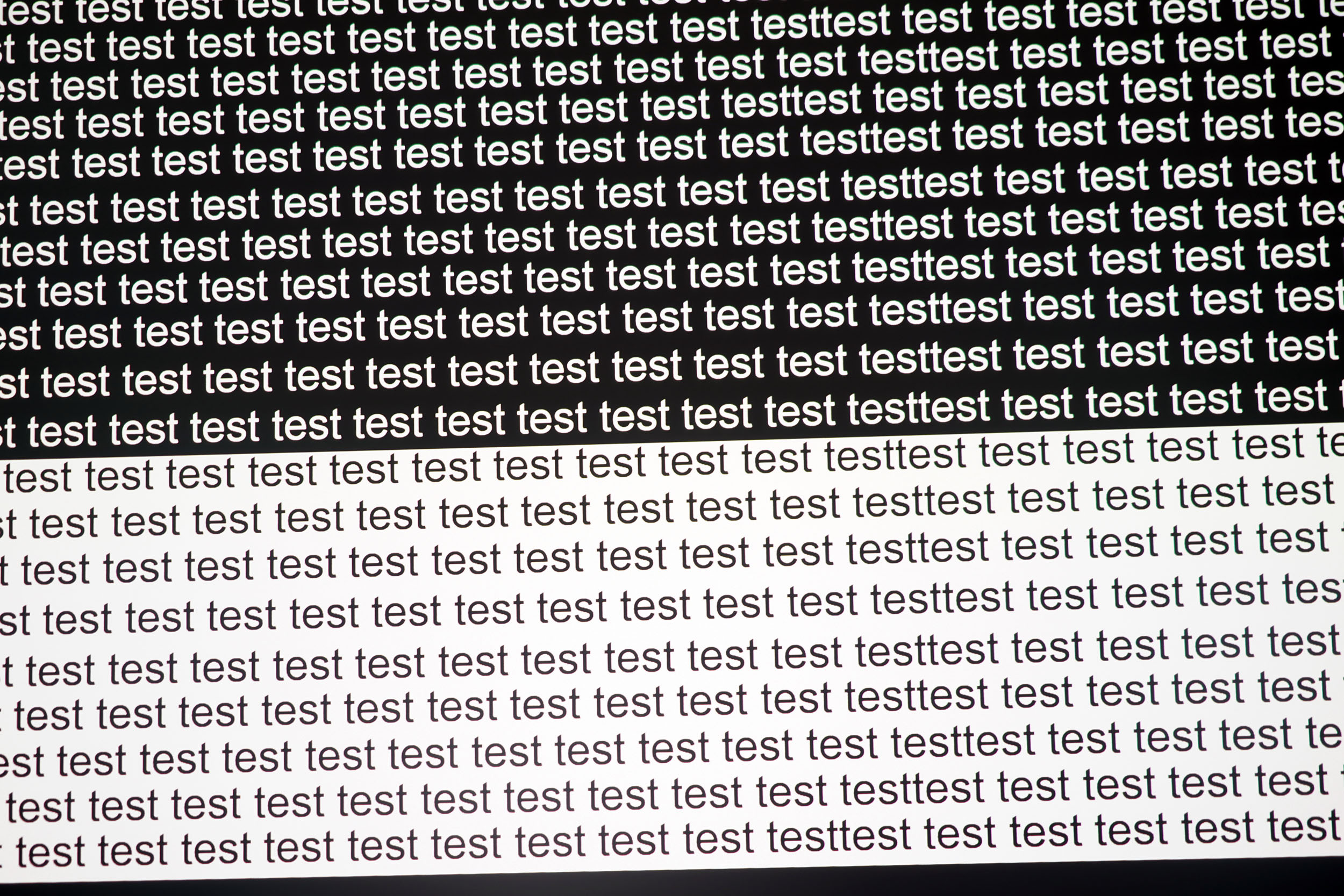
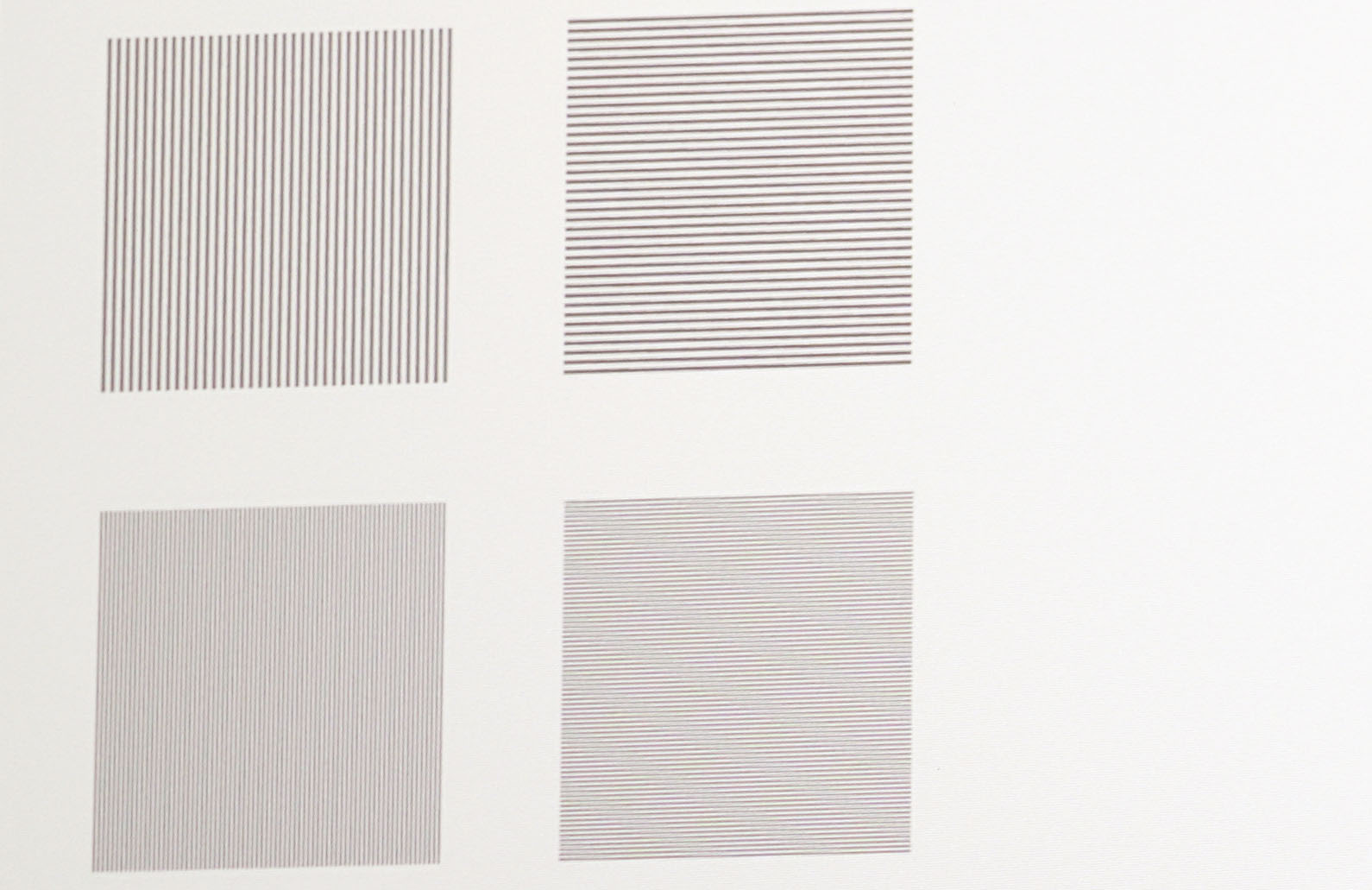
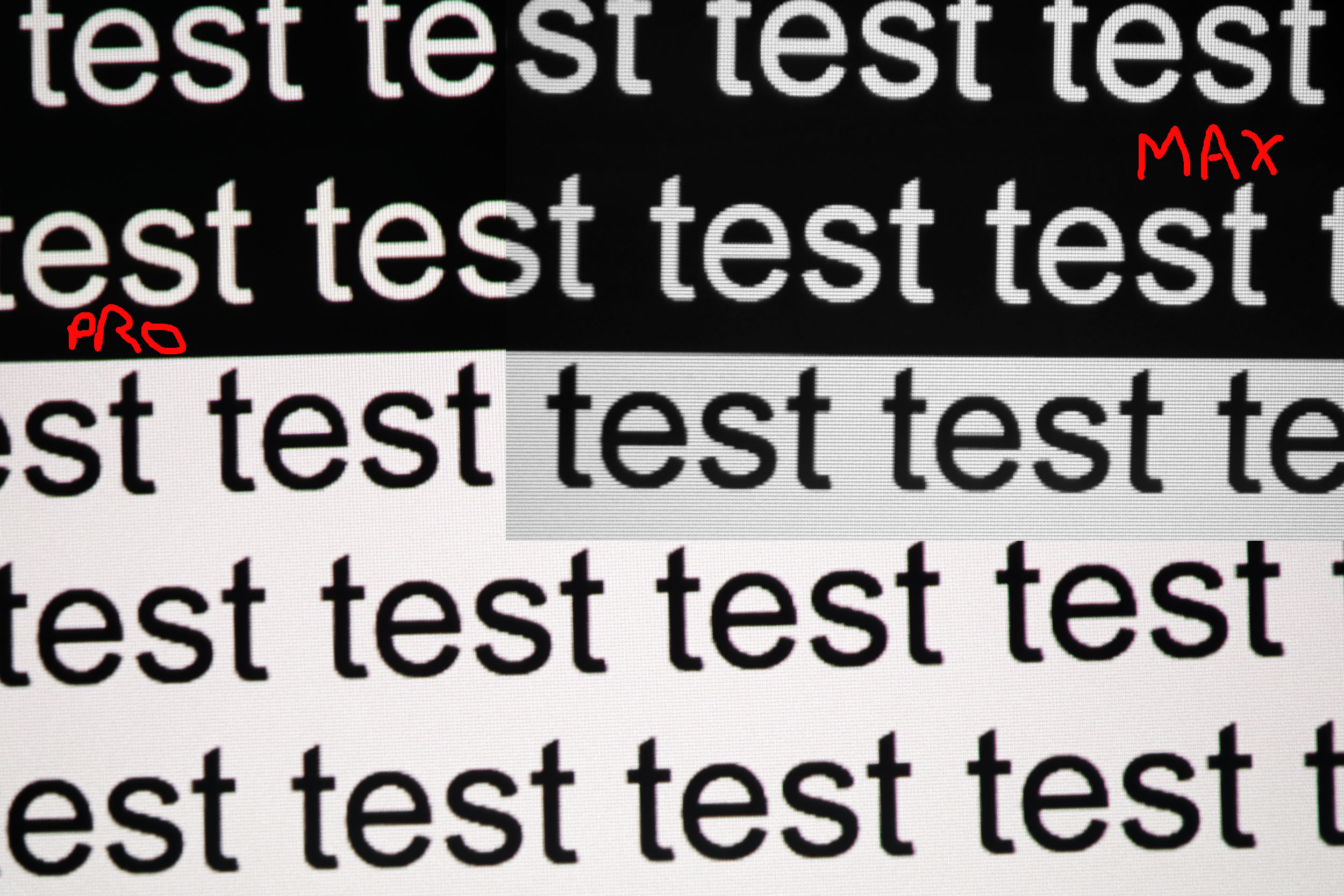
The XGIMI Titan Black Pro uses the same optical system as the Titan Black Max, so it’s no surprise that both projectors deliver impeccable sharpness. Text edges remain very sharp even when zoomed in, and the 1-pixel line separations are also very crisp.Contrast
More explanations on contrast
Contrast (on/off) is used to measure the difference between white and black. This measurement gives an indication of the ability of a projector to produce a good rendering in dark scenes.
A contrast lower than 500:1 should be considered as a very low contrast and the consequence will be especially visible in dark scenes where you will lose details. This is less of a problem for sports, bright films or even cartoons.
A low contrast ratio does not mean that a projector is not usable, you just have to be aware that for films like Aliens, dark scenes will no longer allow you to distinguish details.
Based on my usual experience with the Batman movie, it becomes clear very quickly that this projector has a good contrast ratio; I even think my camera is struggling to capture the scene accurately. The scene is so clear that you can clearly make out details that are usually lost in the dark and light areas. For example, I had never noticed the folded chair in the back room before.
This new Titan series boosts native contrast thanks to the iris, taking XGIMI to a level the brand hadn’t reached before, but I’d say that’s not where the results are most spectacular because other brands perform just as well. If you have, for example, an “old” triple-LCD projector, black level has long been something that DLP projectors like this one couldn’t achieve. That gap has now been closed with dynamic contrast and DBLE; the black level drops to such an extent that it becomes difficult to measure.
I measured the native contrast without using dynamic contrast and obtained the following results:
| Iris | Brightness | Black (cd/m²) | Contrast |
|---|---|---|---|
| 2 | 10 | 0.291 | 1976:1 |
| 3 | 10 | 0.130 | 3608:1 |
| 4 | 10 | 0.065 | 5124:1 |
| 5 | 10 | 0.022 | 7364:1 |
| 7 | 10 | ... | ... |
I also measured the contrast with the laser set to a lower value and didn’t notice a big difference; the black level is obviously lower, but the decrease in white is almost proportional, so the contrast ratio doesn’t really change.
The ... indicate that the black was so dim that my measuring instrument was unable to measure the value, so I couldn’t calculate the contrast.
I performed the same test with dynamic contrast:
| Iris | Brightness | Black (cd/m²) | Contrast |
|---|---|---|---|
| 2 | 10 | 0.302 | 1937:1 |
| 3 | 10 | 0.127 | 3717:1 |
| 4 | 10 | 0.063 | 5302:1 |
| 5 | 10 | 0.023 | 7043:1 |
| 7 | 10 | ... | ... |
With DBLE mode enabled, I get the following results:
| Iris | Brightness | Black (cd/m²) | Contrast |
|---|---|---|---|
| 2 | 10 | 0.032 | 17,625:1 |
| 3 | 10 | 0.119 | 3807:1 |
| 4 | 10 | 0.059 | 5475:1 |
| 5 | 10 | 0.026 | 6231:1 |
| 7 | 10 | ... | ... |
The results I obtained with version 1.2.36 on the Max push the dynamic contrast ratio above 50,000:1, so the Pro model should follow suit with the next update.
Motion compensation
More on Motion Compensation (MEMC)
Many projectors use a frequency of 60 Hz, which means that they broadcast 60 frames per second. Many films were designed to broadcast 24 frames per second. This means that for each second, the film does not have enough frames to fill the 60 frames broadcast by the projector.
This most often results in a jerkiness in the image. Some projectors are able to attenuate this jerkiness with a motion compensation system (also called MEMC). If you abuse this compensation, you will get what is called the 'soap opera' effect which makes the image a little artificial like the TV series of the 80s.
Like all XGIMI projectors, you can enable motion compensation to prevent jerkiness during fast horizontal movements. This feature works very well by smoothing out the image, but if you overuse it, it will make the image look artificial.
XGIMI has added a 24p feature to play movies in their original format, but this feature isn’t working yet. XGIMI tells me it should be functional in the next update, scheduled for late June.
The projector also features an anti-RBE (rainbow) function, and although I’m not particularly bothered by the rainbow effect, I can see from fast-moving images against a black background that the whites are better defined. This feature used to cause a lot of image noise in one of the early versions, but this issue has now been resolved.
Image size and projection distance
More explanations on the projection distance
The projection distance determines the size of the image and the size of the image is determined by the projector's throw ratio. If a projector has a throw ratio of 1.2, it will have an image width of 83 cm with possibly a gray border.
The distance also plays a role in the brightness because the brightness decreases with the square of the distance. A projector placed at 4 meters will therefore lose 4 times more brightness than a projector placed at 2 meters.
Keystone image correction does not modify the projection cone, it resizes the image inside the projection cone. This means that in the event of a significant correction, you will see a large gray border appear around your image.
The Titan Noir series features the same optical zoom, which offers excellent placement flexibility. With a throw ratio of 0.98, you get an image 102 cm wide per meter of distance. With a throw ratio of 2, you get an image 50 cm wide per meter of distance. You can therefore project a large image with very little back projection distance. This is the first projector of its kind that allows me to cover my 130-inch screen in a room with limited depth.
The brightness varies slightly between the two extremes, and curiously, I get about 10% more brightness with a throw ratio of 2 compared to a throw ratio of 0.98. It is in the range between these two values that the brightness is lower than at a throw ratio of 0.98.
Screen choice
The Titan Noir series is so bright that you can sacrifice a little brightness either by using a higher iris value or by pairing it with a screen that has a gain of less than 1. I’ll include a comparison in the video review I still need to do, but here’s a summary of what you might want to consider:- white screen: only in the dark or with minimal ambient light
- Gray/ALR screen: viable in all situations, but you’ll need to calculate the maximum size using my tool to avoid an image that’s too dark.
Important note: using a gray screen is not neutral from a colorimetric standpoint; gray screens tend to accentuate the blue in images.
I’ll provide a few examples based on my tool’s results.
For a 120-inch screen + total darkness:
Laser level 3 max for iris 2
Laser level 4 max for iris 3
Laser level 7 max for iris 4
With Iris 5, you’re already at the limit for HDR, and with Iris 7, this screen size isn’t feasible
Those who would like to stick with Iris 2 or 3 could consider the base model.
If I use the same combination with an ALR screen with a gain of 0.6:
Max laser level 6 for Iris 2
Max laser level 9 for iris 3
With Iris 4, it’s a bit on the edge for HDR. Iris 5 and 6 are out of the question.
For daytime use, an ALR screen is a must, but you’ll still lose contrast because the projector can’t project true black—the black will take on the room’s ambient light. With a 120-inch ALR screen, an SDR image will be bright enough, but for HDR it won’t be enough.
Since I can’t analyze every possible combination, I invite you to play around with the calculator to see what works best for your situation.
Audio quality
More explanations on audio quality
I use several types of music tracks to illustrate the sound quality of the projector but the rendering will always be limited by the recording device. Since I always use the same device, you will be able to compare the difference on the same basis.
I regularly use well-known songs protected by copyright to illustrate the sound quality of a video projector. It therefore sometimes happens that YouTube decides to block my videos for these reasons. In this case, you can listen to the soundtracks directly on YouTube and hope that YouTube has not completely blocked my channel.
The Titan Noir series is equipped with the same 2x12 Harman Kardon speakers as the Horizon 20 series; there is no difference in terms of hardware. However, the sound projection is slightly different due to the projector’s format. My setup for this type of projector tends to confine the projector in a space that’s a bit too small, and you can hear that a little in the sound. I’ll include my usual soundtrack in my video review.
Video games
More explanations video games
To be able to play in good conditions with a projector, the latency must be low. Latency is the reaction time between pressing a button on your controller and the reaction on the screen, this latency is expressed in milliseconds and is also called 'input lag'.
I measure this latency with a specialized device. To be able to play fast-paced FPS-type games online, you need to obtain a latency of less than 30 ms. For games where the reaction time is less important, a latency of less than 100ms should be suitable for most situations.
I generally test ShadowRunner from Geforce Now on my Nvidia Shield except when this is not possible. I'm not used to playing with a controller, so I'm not very good at it, but the point is to show the projector's ability, not mine.
The gaming performance is also identical across all three models in the Titan Noir lineup, so that’s not what sets them apart. Input lag is so low that you won’t notice any loss of performance while gaming, and you can confidently play fast-paced games where reaction time is crucial. Input lag isn’t the only advantage; you also have the option to adjust the refresh rate and go up to 240 Hz if your system supports it. I have an Xbox Series X that can go up to 120 Hz at 1080p; the result is obviously already very good, but if you have a PC with a good graphics card, you should be able to get even more out of this projector. This refresh rate is also adjustable depending on your needs.
Like the Horizon 20 series, the Titan Black series is positioned as a flagship line for large-scale gaming.
There was a bug in the settings at the time of testing. If you leave the game settings in automatic mode and play a game in Dolby Vision, you won’t be able to edit either the Dolby Vision settings or the game settings. They are mutually exclusive. If you try to change the Dolby Vision settings, the projector will tell you it’s impossible with Auto Game Mode, and if you try to change Auto Game Mode, it will tell you it’s impossible because you’re in Dolby Vision...It’s an endless loop that will likely be fixed in a future update; I’ve reported the issue to XGIMI.
Encoutered bugs
Not yet available / testedALR/CLR Projection screen
Are you looking for a good ALR/CLR screen for your projector? I may have what you need:ALR/CLR NothingProjector Screen
Test / Review conclusion
When the Kickstarter campaign launched, all the marketing and communication focused on the Titan Noir Max, and this was clearly reflected in the campaign results, where the vast majority of projectors sold were Max versions. The pricing was very attractive, it was the best projector in the lineup, and the temptation was therefore quite strong. However, just like with the Horizon 20 series, I am convinced that the Pro version—or even the base model—would have been more than sufficient for the vast majority of buyers.Why? I believe most buyers underestimate the impact of brightness. All three models are extremely bright, and unless you want either a gigantic image in a dark room or a reasonably sized image in daylight conditions, the base model or the Pro version will be more than adequate.
The Pro is a very bright projector with excellent contrast, outstanding color accuracy, and excellent image sharpness. The extended lens shift and zoom provide a great deal of installation flexibility, although given the projector's size, you will need to place it somewhere with sufficient ventilation. It ticks all the boxes for delivering a great image, and the same can be said for the other two models as well.
What will ultimately determine your choice is the desired screen size, whether you plan to use it in daylight, and whether you intend to pair it with an ALR screen. All of these factors come down to one thing: brightness. I added a calculator earlier in this review to help you determine how much brightness you actually need, as this is the primary criterion when choosing between the base version, the Pro model, and the Max.
If, after checking your requirements, you are still hesitating between several models, there are a few secondary criteria that may help you decide. First, there is operating noise. The Pro and Max are quieter than the base model. Sharpness is also better on the Pro and Max; the difference is visible, although the base version still delivers a very good image. The Max consumes the most power, but when its power consumption is compared to its lumen output, it actually proves to be more efficient than the other two models.
The Titan Noir lineup is a genuine success, and I have not encountered any significant issues that would justify choosing another brand instead. XGIMI has taken the lead over its competitors, but I am convinced that other manufacturers will respond and introduce equivalent projectors in the coming months.
Strengths
Native and dynamic contrast
Brightness
Colour accuracy (factory settings)
Sharpness
Optical zoom & lens shift
HDR tone mapping up to 10,000 nits
Audio quality
Gaming experience
Anti RBE
Weaknesses
Heavy and bulky
Space must be left beneath the projector to allow heat to escape
MEMC 24p not yet operational


A question? A remark? Feel like shouting? (not too loud)